Apple continues to push the iPad closer to becoming a true laptop alternative, and iPadOS 27 is its most ambitious software update yet. After spending time exploring the latest features, design changes, AI enhancements, and productivity upgrades, it’s clear that this new iPad software update focuses heavily on intelligence, multitasking, and user experience.
From a smarter Siri and powerful Apple Intelligence tools to improved window management and a refreshed interface, the latest Apple iPad operating system introduces meaningful improvements for both casual users and professionals. Whether you’re a student, creative professional, or one of the many iPad power users looking for a desktop-like experience, there’s a lot to explore.
In this iPadOS 27 hands-on review, we’ll break down everything that’s new, discuss supported devices, compare it with the previous version, and help you decide whether the update is worth installing.
What’s New in iPadOS 27?
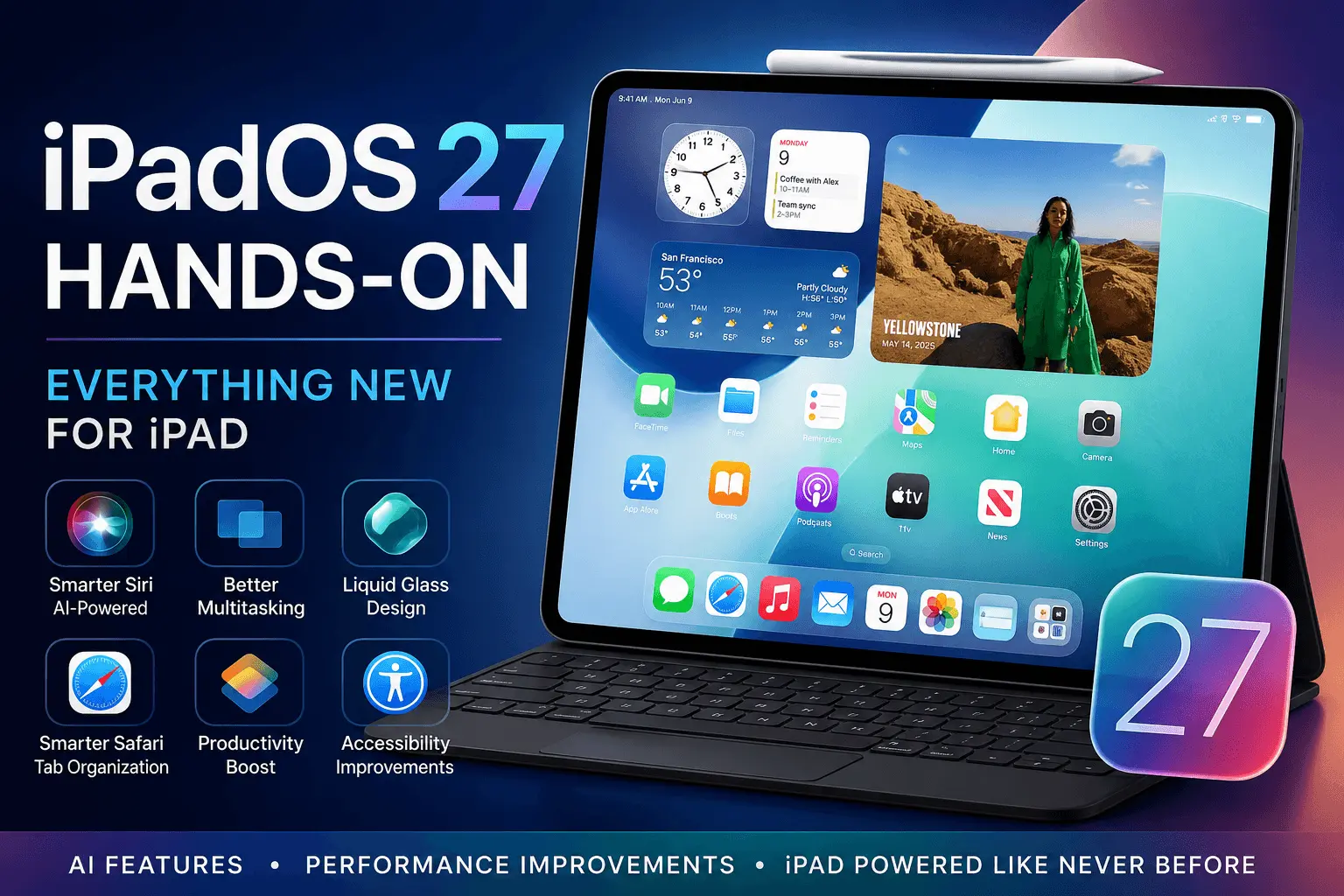
The headline feature of iPadOS 27 is its deeper integration of artificial intelligence. Apple has also refined multitasking, redesigned key interface elements, and improved overall system responsiveness.
Some of the biggest additions include:
- Apple Intelligence integration
- Smarter Siri with on-screen awareness
- Enhanced window management
- Liquid Glass design language
- Better Safari organization tools
- New productivity-focused workflows
- Improved accessibility tools
- Faster app launches and app switching
Together, these updates make the iPad feel more capable and efficient than ever before.
Apple Intelligence and the New Siri Experience
One of the most significant changes in iPadOS 27 features is the expansion of Apple Intelligence.
Apple’s AI platform powers a range of new experiences designed to improve productivity and simplify daily tasks. Instead of requiring multiple steps to complete an action, users can rely on AI-powered suggestions and contextual assistance.
Smarter Siri Gets a Major Upgrade
The new Siri AI experience feels much more natural.
Key improvements include:
- More conversational Siri interactions
- Better contextual understanding
- On-screen awareness
- Improved app integration
- Natural language shortcuts
For example, you can ask Siri to summarize content from an open webpage, locate a specific photo, or create a task based on information currently displayed on your screen.
The upgraded Siri app also handles follow-up questions more effectively, making it feel closer to a true digital assistant rather than a voice-command tool.
AI Productivity Tools for Everyday Work
Apple Intelligence introduces several AI productivity tools designed for real-world workflows.
Users can:
- Rewrite text in different tones
- Summarize documents
- Generate quick action suggestions
- Create workflow automations
- Improve note organization
These Apple AI features are especially useful for students, content creators, and business professionals who spend hours working on their iPads.
Multitasking Finally Feels More Desktop-Like
Apple has continued refining the multitasking experience, and the results are impressive.
Improved Window Management
The new window management system offers greater flexibility when working with multiple apps.
Highlights include:
- Easier window resizing
- Better app positioning
- Faster workspace switching
- Improved multitasking workflow controls
The experience feels less restrictive than previous versions and provides a more natural desktop-like experience.
Better Alternatives to Stage Manager
While Stage Manager remains available, iPadOS 27 introduces refinements that make multitasking accessible to more users.
Benefits include:
- Cleaner workspace organization
- Faster transitions
- More intuitive controls
- Reduced learning curve
Many users who previously avoided Stage Manager alternatives may find themselves embracing multitasking more frequently.
Split-Screen Productivity Improvements
Split-screen productivity has become more efficient thanks to:
- Faster app switching
- Improved gesture controls
- Better memory management
- More responsive interface behavior
For users who regularly work between Notes, Safari, Mail, and productivity apps, these improvements can significantly boost efficiency.
Liquid Glass Design Brings a Fresh Look
Apple’s new Liquid Glass design language introduces one of the biggest visual updates in recent years.
Instead of a dramatic redesign, Apple focused on subtle enhancements that modernize the interface while preserving familiarity.
Key UI Enhancements
The Apple UI redesign includes:
- A translucent interface across system elements
- Improved readability
- Refined animations
- Better depth effects
- Enhanced visual hierarchy
These design refinements make navigation feel smoother and more polished.
More Interface Customization
Users now have greater control over appearance settings.
New options include:
- Additional personalization settings
- Improved widget flexibility
- Better home screen customization
- Expanded control center options
The result is a more personal and modern iPad design.
Performance Improvements Across the Board
Performance remains one of the strongest aspects of iPadOS 27.
Faster and More Responsive
During testing, several improvements were immediately noticeable:
- Faster app launches
- Faster app switching
- Smoother animations
- Better operating system stability
- Enhanced responsiveness upgrades
Even older supported models benefit from improved system optimization.
Better Battery Efficiency
Apple has also focused on battery efficiency.
Background tasks consume fewer resources, while intelligent resource management helps maintain performance without excessive power consumption.
For many users, this translates into longer productivity sessions and fewer charging interruptions.
Safari, Photos, and Built-In App Improvements
Apple has updated several native iPad apps to align with the broader goals of productivity and intelligence.
Safari Gets Smarter
Safari receives useful enhancements, including:
- Automatic tab grouping
- Improved Safari tab organization
- AI-assisted browsing tools
- Better workspace management
The new Safari AI features help organize browsing sessions more effectively, particularly for research-heavy tasks.
Shortcuts App Updates
The Shortcuts app becomes even more powerful.
New capabilities include:
- Expanded workflow automation
- More natural language shortcuts
- Better integration with Apple Intelligence
- Enhanced cross-app functionality
For users who enjoy iPad workflow automation, these additions open up many new possibilities.
Photos App Improvements
The Photos app gains:
- Smarter search capabilities
- Improved organization
- Better AI-assisted categorization
- Faster media browsing
These updates make managing large photo libraries significantly easier.
Accessibility and Family Features
Apple continues its commitment to inclusive design.
Accessibility Improvements
New accessibility tools include:
- VoiceOver updates
- Enhanced live captions
- Better video captioning
- Improved navigation support
These accessibility improvements help make the iPad experience more inclusive for all users.
Family Sharing and Child Safety
Families also benefit from updates such as:
- Stronger parental controls
- Screen Time enhancements
- Family sharing updates
- Expanded child safety features
These additions provide parents with better visibility and control over device usage.
iPadOS 27 Compatibility and Supported Devices
One of the most common questions is about iPadOS 27 compatibility.
While Apple typically supports devices for several years, support varies depending on hardware requirements, particularly for Apple Intelligence features.
Generally, newer iPads equipped with more powerful Apple Silicon chips receive the full feature set, while older supported devices may receive a limited version of certain AI-powered capabilities.
Users should check Apple’s official compatibility list before installing the iPadOS 27 beta or public release.
iPadOS 27 vs iPadOS 26
Comparing iPadOS 27 vs iPadOS 26, several differences stand out.
| Feature | iPadOS 26 | iPadOS 27 |
|---|---|---|
| Siri | Basic AI integration | Smarter Siri with contextual awareness |
| Design | Traditional interface | Liquid Glass visual refresh |
| Productivity | Strong multitasking | Enhanced window management |
| Automation | Standard shortcuts | AI-powered workflow automation |
| Safari | Basic organization | Automatic tab grouping |
| Performance | Good | Improved speed and optimization |
The overall experience feels more refined, intelligent, and productivity-focused.
Should You Install iPadOS 27?
For most users, the answer is yes.
The combination of AI productivity tools, multitasking improvements, performance boosts, and design enhancements makes this one of the most meaningful iPad updates in recent years.
If you’re already using an iPad for work, education, content creation, or business tasks, the benefits become even more noticeable.
Those considering the iPadOS 27 beta should remember that beta software may contain bugs, so waiting for the stable release is generally recommended.
FAQ
1. What are the best iPadOS 27 features?
The best iPadOS 27 features include Apple Intelligence integration, smarter Siri, improved window management, Liquid Glass design, enhanced Safari organization, and better multitasking tools.
2. Which devices support iPadOS 27?
iPadOS 27 supported devices vary by model. Newer iPads with Apple Silicon receive the most advanced AI features, while some older models may have limited functionality.
3. Is Siri better in iPadOS 27?
Yes. The new conversational Siri offers improved contextual understanding, on-screen awareness, and more natural interactions compared to previous versions.
4. How does iPadOS 27 improve productivity?
The update introduces enhanced multitasking workflows, faster app switching, improved workflow automation, natural language shortcuts, and more efficient window management.
5. Should I install iPadOS 27 immediately?
If you’re using the public release, installation is recommended. However, if you’re considering the beta version, waiting for the stable release may provide a more reliable experience.
Conclusion
After spending time with the update, it’s clear that iPadOS 27 is more than just another annual software refresh. Apple has focused on the areas users care about most: productivity, intelligence, performance, and usability.
The addition of Apple Intelligence, a significantly smarter Siri, improved multitasking, enhanced Safari tools, and the elegant Liquid Glass design creates a noticeably better iPad user experience. Combined with faster app launches, smoother animations, stronger battery efficiency, and accessibility improvements, the update feels polished and purposeful.